
BROTHER PR680W
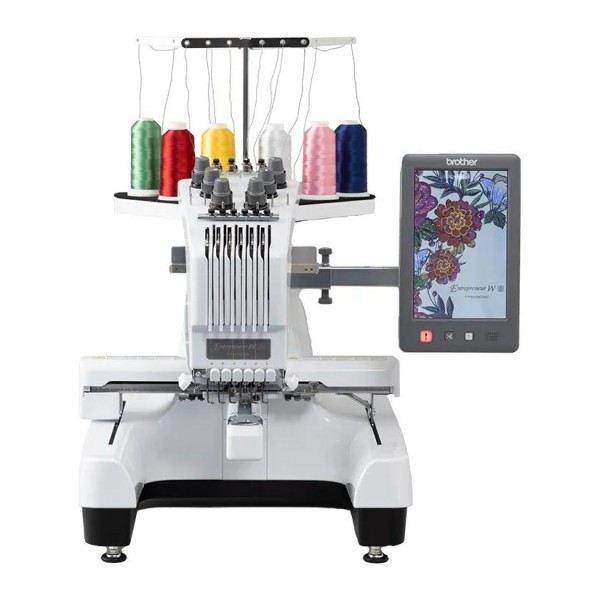
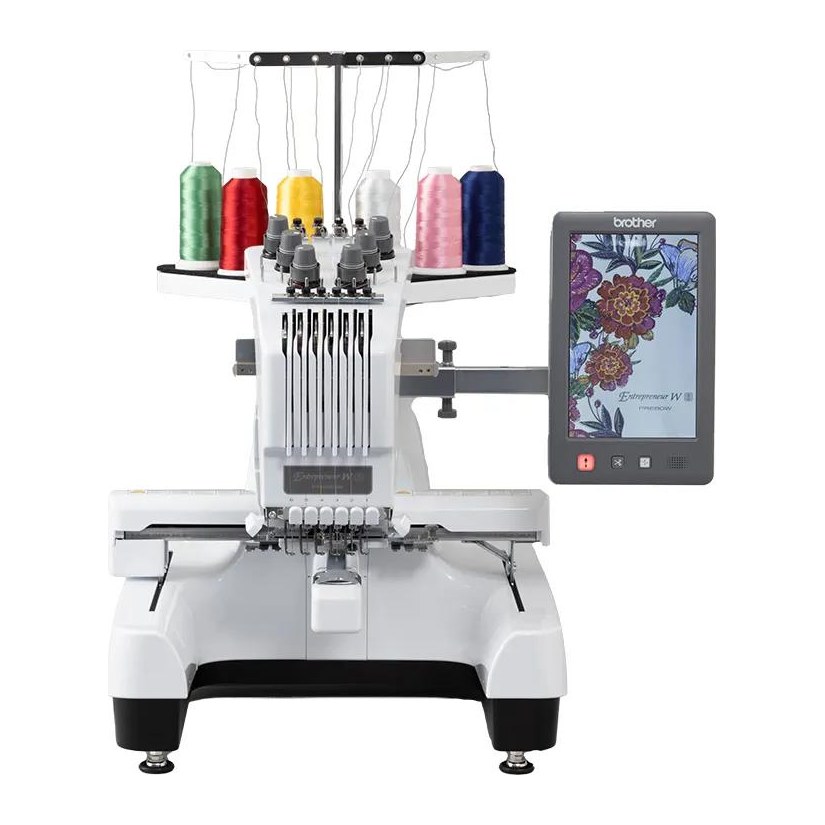
A semi-professional 6-needle embroidery machine for small businesses. The embroidery area is 300 × 200 mm and the speed is up to 1000 stitches/min.
The Brother operation manual and support website call the machine PR680W; the Brother Europe website also calls it “Entrepreneur W PR680W”. It is the same machine. It is for embroidery only.
The machine has 102 built-in embroidery patterns and 611 decorative alphabet patterns (the Brother Europe website gives a total of 763 built-in designs) and 50 fonts, and the 10.1-inch touchscreen is used to preview and edit them.
The crosshair laser shows where the needle will drop, which makes it easy to place a design accurately. The machine has 6 needles with individual settings and trims the upper and bobbin threads, and 4 embroidery hoops are included.
Features
Embroidery area, hoops and speed
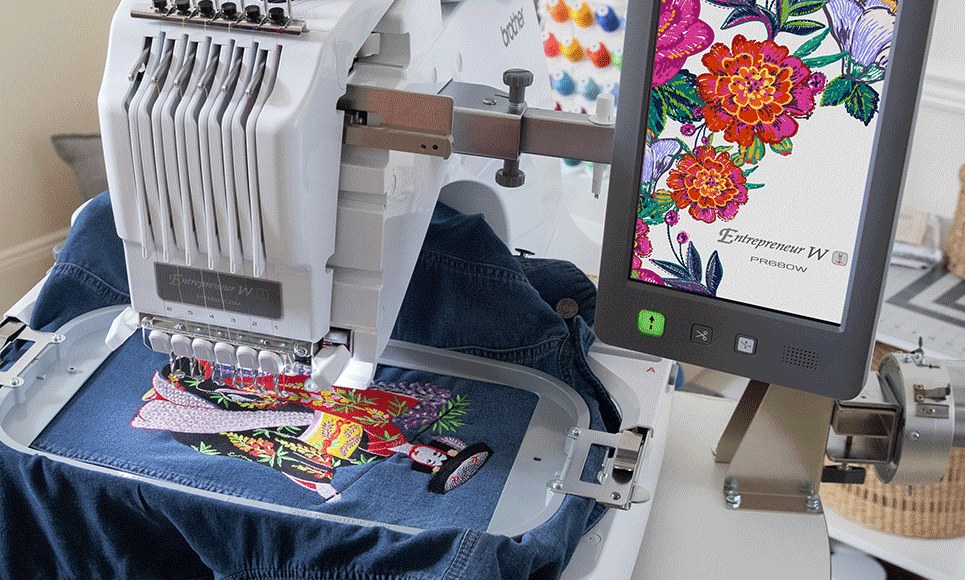
The maximum embroidery area is 300 × 200 mm. The box includes 4 hoops: 300 × 200, 180 × 130, 100 × 100 and 60 × 40 mm, plus hoop holders A and B. Other hoops are sold separately; they are listed in the table below.
The speed is from 400 to 1000 stitches/min. According to the manual, the maximum speed is 600 stitches/min. with some hoops. The Brother Europe website states that the speed can be reduced to 400 stitches/min. for embroidering flat items and with the optional cap and cylinder frames, and that the machine reaches 1000 stitches/min. in 7 seconds.
When embroidering with the border, quilt, flat or magnetic sash frame, the optional wide table PRWT1 must be used. According to the manual, it is also recommended with heavy frames and fabrics so that the holder does not bend.
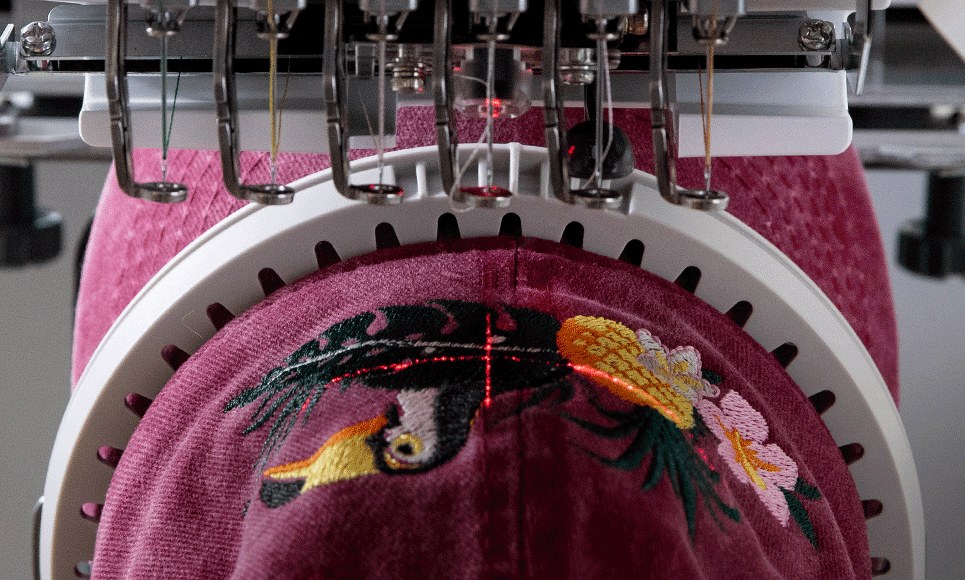
Crosshair laser pointer
The crosshair laser shows the needle drop point, so a design can be placed accurately. The brightness of the pointer can be adjusted in the settings. The Brother Europe website states that 9 points can be selected: the centre, 4 corners and 4 middle points.
Mark the position on the fabric with chalk, fit the hoop, select a reference point and direction, and move the hoop with the positioning keys until the laser crosshair meets the centre of the mark.
With some hoops the laser cannot be used. When embroidering on uneven or rough fabric, or when using the cap frame, check and adjust the alignment of the laser crosshair and the needle drop point before you start. According to the manual, the machine is a Class 1 laser product.
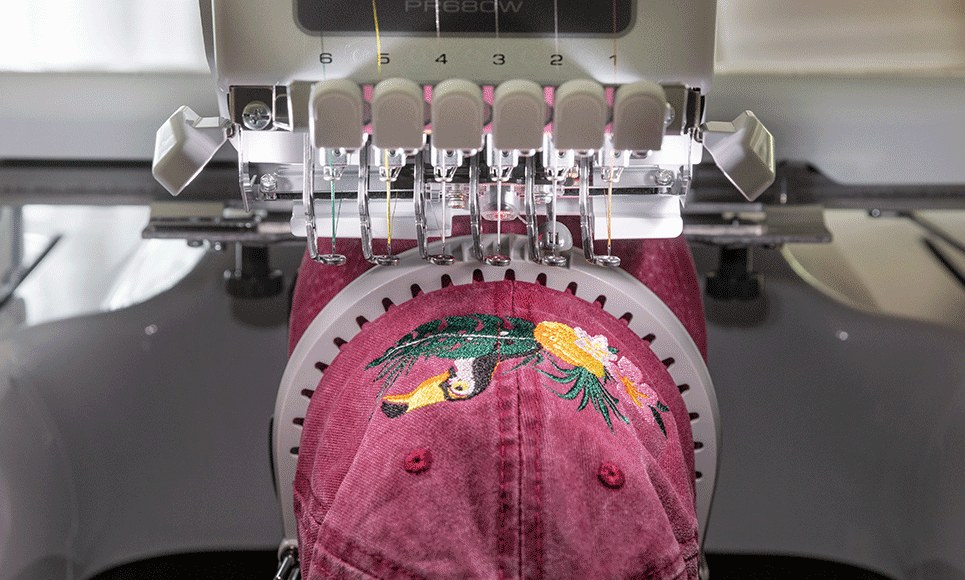
6 needles and thread handling
The machine has 6 needles whose settings can be changed individually. Normally the machine assigns thread colours to the needles itself, but a specific colour can be reserved for a needle so that frequently used threads do not have to be changed. In normal mode up to 5 needles can be reserved; with the “Manual Color Sequence” setting switched on (it is off when the machine is supplied), all 6 can.
With the “Manual Color Sequence” setting, the needle settings remain until the design is deleted or the machine is turned off. This is useful when embroidering DST files, which contain no thread colour information, or when the same colours are always used. In this mode the spool change message is not displayed.
A reserved needle can have its own maximum embroidery speed: for a specialty thread such as metallic thread, the manual advises reducing the speed to 400 stitches/min. Automatic needle threading can be disabled for each needle separately.
At a colour change, another needle that already carries a similar colour can be selected temporarily instead of the planned one, which saves time. A design can be embroidered in one colour without stopping. If a design has 7 or more colours, the machine stops and shows spool change instructions and the time until it stops.
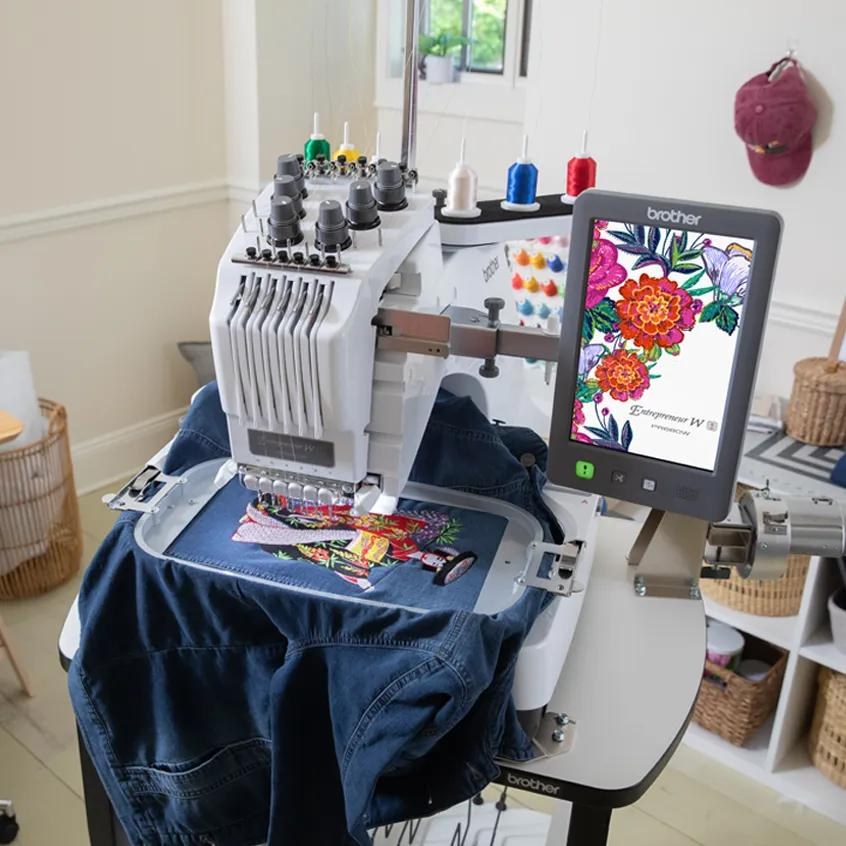
Touchscreen and designs
The 10.1-inch high-resolution IPS LCD touchscreen (the Brother Europe website gives a resolution of 800 × 1280 pixels) displays a design at 100, 125, 150 or 200 % zoom.
The machine has 102 built-in embroidery patterns, 50 utility stitches and 611 decorative alphabet patterns (the Brother Europe website gives a total of 763), 50 lettering fonts, 140 frame patterns (10 shapes × 14 stitch types) and 3 lettering styles with 15 monogram frames. Designs can be enlarged or reduced while keeping the stitch density, rotated, combined and edited on the screen.
More features
Thread sensors and trimming
- The machine has upper and bobbin thread sensors.
- It trims the upper and bobbin threads automatically; they can also be trimmed with a separate button.
- If the thread breaks or the bobbin thread runs out, the machine stops by itself.
- Before continuing you can go back one or ten stitches per touch, or enter a stitch number.
Automatic needle threading
- The needle is threaded at the touch of a button, and automatic threading can be disabled for individual needles.
- According to the Brother Europe website, this can be done even when no design is on the screen.
Bobbin and hook
- The machine has a vertical hook.
- Only the bobbin case is installed in the machine when it is supplied; use prewound bobbins (Fil-Tec / TRU-SEW POLYESTER “Filaments”) or metal bobbins designed for this machine.
- At each bobbin change, clean the bobbin case and check the bobbin thread tension.
Adjustable LED lighting
- Built-in LED lighting with adjustable brightness (the Brother Europe website states 5 brightness levels).
Automatic hoop detection
- The machine automatically detects the installed hoop holder and hoop and shows them on the screen; the screen also shows the hoop sizes in which the selected design can be embroidered.
Administrator and operator locks
- The machine can be locked with a passcode: a 6-digit passcode for the administrator lock and a 4-digit passcode for the operator lock (which locks the LCD screen).
Key optimisation
- Choose which function keys will be unavailable.
- One set of settings can be kept on the machine, and it can also be saved to a USB device and loaded again.
- This function does not work in Link mode.
Resuming embroidery
- Embroidery can be resumed after the machine has been turned off or the power has failed; some stitches may be embroidered again.
- Cut the thread before turning the machine off.
Saving designs and USB media
- A design can be saved to the machine memory, to a USB drive (in a folder called “bPocket”) or to a computer, and recalled later.
- USB flash drives can be used for both saving and recalling; external USB CD/DVD drives can only be used to recall designs.
- Some USB media may not work with the machine.
Preview, basting and appliqué
- The machine has a stitch simulator and a progress bar.
- Basting stitches can be added around a design (distance 0–12 mm, default 5 mm).
- An appliqué piece can be created from a built-in design or a design from another source, with the distance between the design and the appliqué outline specified.
- As delivered, the machine is set to embroider lock stitches automatically at the start of the design, before embroidering after each thread colour change and before the thread is trimmed.
- They cannot be applied to designs whose jump stitches are not trimmed.
Progress on the screen
- The progress bar shows the time until the machine stops, the number of colour changes and stitches, and the total embroidering time.
- The settings show the total number of stitches embroidered and the number of stitches since the last maintenance.
Stippling and echo stitches
- The machine can automatically create stippling or echo quilting stitches around a selected design.
Colour management
- The colour sequence can be shuffled with 4 schemes (“Random”, “Vivid”, “Gradient” and “Soft”), and according to the Brother Europe website, colours can also be grouped.
- For each thread colour you can set a temporary stop or skip it, the stitching order of combined designs can be re-sorted by colour, and the Monochrome mode embroiders the design in one colour without stops.
Design size and rotation
- A design can be enlarged or reduced within 60–200 % while keeping the stitch density; this does not work for lettering, frame, repeated and large buttonhole designs.
- The Brother Europe website states that a design can be rotated in 0.1, 1, 10 and 90 degree increments.
- A design can be flipped horizontally (mirror image).
Repeated designs and alignment
- The Border function repeats the selected design horizontally or vertically, and the spacing between repeats can be adjusted.
- Several designs can be aligned on the screen.
Text editing
- Text can be entered on several lines and aligned left, centre or right.
- A line of letters can be split to adjust the spacing or to edit the parts separately, and combined again.
- Each letter can be given its own thread colour.
Large designs in sections
- Large designs can be embroidered in sections.
- Such designs are split by PE-DESIGN 7 or a later version, or by PE-DESIGN NEXT.
Link function
- Designs can be sent from a computer to several machines with software that has the Link function, for example PE-DESIGN NEXT or a later version.
- Up to 100 designs can be transferred to one machine.
- Up to 10 machines can be connected wirelessly (PE-DESIGN 11.2 or a later version is required) or up to 4 through a USB cable.
- The function works only with .pes and .pen designs and does not work with split large designs.
Wireless connection and My Stitch Monitor
- The My Stitch Monitor app (Google Play and App Store) shows the machine status and the progress of the embroidery, and sends a notification when the machine stops (for example when embroidery is finished, when the thread must be changed, or on an error).
- The phone and the machine must be on the same network.
- Designs can be transferred wirelessly with the Design Database Transfer app (Windows) or PE-DESIGN 11 and later versions, and machine update files can be downloaded directly to the machine.
Thread trimming settings
- You can set whether jump stitches are trimmed, remove short stitches (0–1 mm) and choose the thread tail length: standard or long (long suits metallic thread).
Thread tension
- According to the Brother Europe website, the machine has upgraded upper thread tension dials and a wider tension range, so lighter fabrics such as satin or organza pucker less.
Tutorial videos
- According to the Brother Europe website, 24 tutorial videos are pre-installed on the machine, and more can be downloaded over the wireless connection.
- The machine can also play MP4 videos from a USB device or from the machine's memory.
Software updates
- According to Brother's update documents on the support website, after updating to version 1.03 several designs can be deleted at once, and after updating to version 1.80 a new lettering design category with additional designs and 3D font embroidery become available.
3D font with urethane foam
- According to the version 1.80 update document, the 3D font is embroidered on urethane foam up to 3 mm thick.
- Cut the foam larger than the design and fix it with tape (not over the design); basting around the design holds the foam more firmly.
- Tighten the bobbin thread and loosen the upper thread.
- For caps, Brother recommends the flat brim cap frame (sold separately).
- Protruding foam can be shrunk with steam or heat applied from a distance.
Maintenance
- According to the manual, oil the machine before first use; afterwards put a drop of oil on the hook once a day before use.
- Every 40–50 hours of embroidering, put one drop on each lower needle bar above the felt washer.
- Use only machine oil and do not over-oil; wipe off any excess with a rag.
- If the thread breaks while embroidering or the hook becomes noisy, oil the race hook.
- Unplug the machine before cleaning.
Hoops and hoop holders
| Hoop / frame | Embroidery area | Holder | Use |
|---|---|---|---|
| Extra-large hoop PRH300 (included) | 300 × 200 mm | A (included) | For connected letters or designs, combined designs and large designs |
| Large hoop PRH180 (included) | 180 × 130 mm | A (included) | For designs smaller than 180 × 130 mm |
| Medium hoop PRH100 (included) | 100 × 100 mm | A (included) | For standard-sized designs |
| Small hoop PRH60 (included) | 60 × 40 mm | A (included) | For small designs, such as name tags |
| Flat frame PRF300 (optional) | 300 × 200 mm | A (included) | For jackets and other thick garments; the optional wide table is needed for embroidering |
| Quilt frame PRPQF200 (optional) | 200 × 200 mm | B (included) | For quilt pieces; the optional wide table is needed for embroidering |
| Border frame PRPBF1 (optional) | 300 × 100 mm | B (included) | For long strings of letters or designs; the optional wide table is needed for embroidering |
| Sleeve frame PRHSL200 (optional) | 70 × 200 mm | B (included) | For long items such as shirt sleeves |
| Round frames PRPRF100, PRPRF130 and PRPRF160 (optional) | diameter 100, 130 or 160 mm | C (optional) | For adding a built-in design to a sleeve; choose the frame to suit the size of the design |
| Clamp frame S PRCLP45B, PRCLP45LR (optional) | 45 × 24 mm | D (optional) | For specially shaped items that cannot be held in normal frames, such as shoes and gloves |
| Clamp frame M PRCLP100B (optional) | 100 × 100 mm | D (optional) | For specially shaped items, such as narrow bags |
| Compact frames PRSFK1 (optional) | 70 × 41, 50 × 50, 44 × 38 and vertical 33 × 75 mm | E (optional) | For logos or designs on small items |
| Magnetic frame PRMF50 (optional) | 50 × 50 mm | E (optional) | To keep the frame from leaving marks in the fabric |
| Versatile magnetic frames PRVMFL and PRVMFM (optional) | 180 × 130 and 100 × 100 mm | F (optional) | A variety of fabrics can be secured in the frame easily and firmly |
| Cap frame PRCFH3 (optional) | 130 × 60 mm | not used | For caps: baseball (golf) caps, tulip hats and bucket hats. Not suitable for hats with a front area of 50 mm or less (for example sun visors and children's hats), or for hats with a brim longer than 80 mm |
| Flat brim cap frame PRCFH5 (optional) | 130 × 60 mm | not used | For caps, including flat brim caps and children's caps; you can embroider closer to the brim than with the cap frame |
| Magnetic sash frame PRMS360 (optional) | 300 × 200 mm | not used | For connected letters or designs, combined designs and large designs; the optional wide table is needed for embroidering |
| Cylinder frame PRCLH1 (optional) | 90 × 80 mm | not used | For tubular and curved items, such as shirt sleeves and polo-neck jumpers |
Videos
Official videos about this model from Brother SewingCraft Europe. Their titles call the machine PR680W.
Technical specifications
| Machine type | Embroidery-only machine: semi-professional, 6-needle, for small businesses |
|---|---|
| Number of needles | 6 |
| Maximum embroidery area | 300 × 200 mm |
| Maximum embroidery speed | 1000 stitches/min. (depends on the hoop) |
| Speed range | 400–1000 stitches/min.; according to the manual, the maximum is 600 stitches/min. with some hoops |
| Built-in designs | 763 in total according to the Brother Europe website (102 embroidery patterns, 50 utility stitches and 611 decorative alphabet patterns) |
| Lettering fonts | 50 |
| Frame patterns | 140 (10 shapes × 14 stitch types) |
| Monograms | 3 lettering styles and 15 monogram frames |
| Display | High-resolution IPS LCD touchscreen, 10.1 inch (800 × 1280 pixels, according to the Brother Europe website) |
| Memory | 10 MB for designs |
| File formats | .pes, .phc, .phx, .dst, .pen |
| Design limits | .pes design: up to 500000 stitches and up to 127 colour changes; size up to 300 × 200 mm. Designs not saved by Brother design software or by this machine may cause the machine to malfunction; with non-Brother designs that have too fine a stitch density or three or more overlapping stitches the thread or needle may break, and Brother advises editing such designs in its design software. |
| Connections | USB: 2 high-speed ports and 1 port for a computer (according to the Brother Europe website); wireless LAN (IEEE 802.11 b/g/n, 2.4 GHz; WPA/WPA2 Enterprise networks cannot be set up); computer operating systems – Windows 8.1 and Windows 10 (according to the manual) |
| Computer software | PE-DESIGN NEXT or a later version – for the Link function; PE-DESIGN 11.2 or a later version – for the Link function over a wireless connection; PE-DESIGN 7 or a later version, or PE-DESIGN NEXT – for splitting large designs |
| Hook | Vertical, fully rotary, normal size (Type L) |
| Needle | HA130EBBR, #11 (household embroidery needle); HAX 130 EBBR (Organ) is recommended by Brother, and Schmetz 130/705 H-E may be used as a substitute |
| Upper thread | Recommended threads: rayon or polyester machine embroidery thread, 120 den/2, 135 dtex/2, 40 weight (in the Americas and Europe) (according to the manual). Certain types of thread may break or have improper tension; in that case change the thread. For metallic or fast-unwinding thread, use the included spool net, and for small spools use a spool mat; the tension may need adjusting |
| Bobbin | Use only prewound bobbins (Fil-Tec / TRU-SEW POLYESTER “Filaments”), XH3619-001, or metal bobbins designed for this machine. Bobbin case XC7206-001; check the bobbin thread tension at each change |
| Bobbin thread for winding | Winding requires the optional bobbin winder set PRBW1 and metal bobbins; wind with cotton or spun polyester thread (74 dtex/2 to 100 dtex/2) |
| Needle threading | Automatic; the automatic threader can be disabled for each needle |
| Maximum fabric thickness | 2 mm (thicker fabric may bend or break the needle) |
| Thread tension | Manual |
| Thread sensors and trimming | Upper and bobbin thread sensors; upper and bobbin thread trimming |
| Lighting | LED lighting with adjustable brightness (the Brother Europe website states 5 brightness levels) |
| Positioning | Embroidery crosshair positioning laser (Class 1 laser); the brightness is adjustable in the settings |
| Spool stand | For 6 spools |
| Energy saving | Eco Mode OFF or 10–120 min. (suspends the machine light, the crosshair laser and the screen); Shutoff Support Mode OFF or 1–12 h (suspends all functions; an error message appears after recovery, and the machine must be turned off and on) |
| Screen saver and video | Up to 5 JPEG images for the screen saver (each up to 2 MB); an MP4 (H.264/AAC) video (up to 100 MB) can be played |
| Power consumption | 116 W (according to the Brother Europe website) |
| Dimensions (W × D × H) | 512 × 587 × 762 mm according to the operation manual (the Brother Europe website gives 587 × 512 × 589 mm) |
| Free space around the machine | According to the manual: at least 50 mm behind the machine, more than 350 mm in front and more than 250 mm on each side |
| Weight | 38 kg |
| Setting up and moving | The machine must be lifted by 2 people. Place it on a level table; the machine has 4 adjustable feet. Do not cover the ventilation slots at the back and underside of the machine. The operation panel can be moved forward, turned and tilted to a comfortable position. |
| Operating temperature | 5–40 °C |
| Country of origin | Taiwan |
| Warranty | 3 years (1 year for commercial use, according to Brother) |
In the box
In the box, according to the Brother operation manual and its addendum.
- Accessory case, XC6482-051
- Needle sets (2 pcs), XC6469-001
- Prewound bobbins (6 pcs), XH3619-001
- Spool nets (6 pcs), S34455-000
- Seam ripper, XF4967-001
- Scissors, XF2052-001
- Tweezers, XC6542-051
- Touch pen, XA9940-051
- Needle changing tool (Threader), XF2212-101
- Needle plate cover, XC6499-151
- Spacer (installed on the machine), XF1978-001
- Phillips screwdriver, XC6543-051
- Standard screwdriver, X55468-051
- Allen screwdriver, XC5159-051
- 3-way screwdriver, XH4670-001
- Wrench 13 mm × 10 mm, XC6159-051
- Oiler, D01H2N-001
- Cleaning brush, X59476-051
- Weight (L), XC5974-151
- Spool mats (6 pcs), XC7134-051
- Thread spool caps (6 pcs), 130012-057
- USB cable, XD1851-051
- Embroidery hoop PRH300 (extra-large), 300 × 200 mm, XG6645-001
- Embroidery hoop PRH180 (large), 180 × 130 mm, XG6647-001
- Embroidery hoop PRH100 (medium), 100 × 100 mm, XG6649-001
- Embroidery hoop PRH60 (small), 60 × 40 mm, XG6651-001
- Embroidery sheet, 300 × 200 mm, XC5704-051
- Embroidery sheet, 180 × 130 mm, XC5721-051
- Embroidery sheet, 100 × 100 mm, XC5759-051
- Embroidery sheet, 60 × 40 mm, XC5761-051
- Embroidery hoop holder A (with white corner covers), XF2222-001
- Embroidery hoop holder B (with light grey corner covers), XF2223-001
- Operation Manual
- Quick Reference Guide
- Embroidery Design Guide
- Power cord
- Bobbin case (installed on the machine), XC7206-001
Optional accessories (not included in the box)
List compiled from the Brother operation manual and the Brother support page section 'Consumables & Options' for this model.
- Embroidery thread sets ETS12N (12 colours), ETS22N (22 colours) and ETS40N (40 colours) – 100 per cent polyester thread with a satin finish, No. 50
- Country embroidery thread sets CYT21 (21 colours) and CYT40 (40 colours), No. 60
- Embroidery stabilisers: BM3 – iron-on (28 × 100 cm, 3 pcs); BM5 – water soluble (28 × 300 cm, 1 pc)
- Consumables kit PRCNSKIT1 – iron-on stabiliser, water-soluble stabiliser (non-woven fabric), needle set and a prewound bobbin
- Bobbin winder set PRBW1 and metal bobbin 100376-051
- Weight (S), XC6631-051
- Wide table PRWT1 (XG6731-001) – required when embroidering with the border, quilt, flat and magnetic sash frames; according to the manual, also recommended with heavy frames and fabric so that the frame holder does not bend
- Tubular frame table PRTT1 (D01FAF-001) – for embroidering onto bags and cylindrical items
- Embroidery stand VRPRNSTD (XG3199-001)
- Flat frame PRF300 (300 × 200 mm, XG6693-001) – for jackets and other thick garments
- Border frame PRPBF1 (300 × 100 mm, XG6729-001) – for long strings of characters or patterns
- Quilt frame PRPQF200 (200 × 200 mm, XG6727-001) – for pieces for quilts
- Sleeve frame PRHSL200 (70 × 200 mm, XG5284-001) – for long items such as shirt sleeves or pant legs
- Round frames PRPRF100 (XG6737-001), PRPRF130 (XG6739-001) and PRPRF160 (XG6741-001) (diameter 100, 130 and 160 mm), set PRPRFK1 (XG6725-001); they need holder C PRPARMC (XG6743-001) – for adding a built-in design to a sleeve
- Clamp frames S PRCLP45B (45 × 24 mm, XF2251-001) and PRCLP45LR (45 × 24 mm, left and right, XF2255-001) – for specially shaped items that cannot be held in normal frames, such as shoes and gloves
- Clamp frame M set PRCLP100B (100 × 100 mm, XG6235-001) – for specially shaped items, such as narrow bags
- Compact frame set PRSFK1 (XG6209-001) – frames 70 × 41, 50 × 50, 44 × 38 mm and vertical 33 × 75 mm (also sold separately: VRSF70, VRSF50, VRSF44 and VRSFV) for logos or designs on small items
- Magnetic frame PRMF50 (50 × 50 mm, XG8597-001) and magnetic frame set PRMFA50 (XG8593-001) – to prevent the frame from leaving marks in the fabric; free-arm mounting jig PRMFJ1 (XH1533-001) for the magnetic or compact frame (cylindrical items)
- Cap frame set PRCF3 (XE2158-201) and the frame alone PRCFH3 (130 × 60 mm, XG6695-001) – for caps; not suitable for hats with a front area of 50 mm or less, or hats with a brim longer than 80 mm
- Mounting jig PRCFJ2 (XG6661-001) – for cap frames
- Flat brim cap frame set PRCF5 (D01FAB-001) and the frame alone PRCFH5 (130 × 60 mm, D01FA5-001) – for caps, including flat brim caps and children's caps; allows embroidering closer to the brim than PRCFH3
- Cylinder frame set PRCL1 (XG6697-001) and the frame alone PRCLH1 (90 × 80 mm, XG6699-001) – for tubular and curved items such as shirt sleeves and turtlenecks
- Magnetic sash frame PRMS360 (D01FAN-001; frame size 360 × 200 mm, embroidery area 300 × 200 mm) – for connected characters or patterns, combined patterns and large patterns, and for quilt sash patterns
- Versatile magnetic frames PRVMFL (180 × 130 mm, D01XHM-001), PRVMFLKIT (180 × 130 mm, kit, D01XHD-001), PRVMFM (100 × 100 mm, D01XK7-001) and PRVMFMKIT (100 × 100 mm, kit, D01XJY-001) – a variety of fabrics can be secured in the frame easily and firmly
- Kits: Apparel PRAPRLKIT1 (sleeve frame, round frame set and tubular frame table), Monogram PRMNGRMKIT1 (clamp frame M set and compact frame set), Sports PRSPRTKIT1 (flat brim cap frame set, flat brim cap frame and clamp frame M set)
Manuals
Any questions?
Call +370 685 85915 or email info@siuvimomanija.lt. We will help you check whether this embroidery machine is right for your work.